

September 2026 · 9 min read
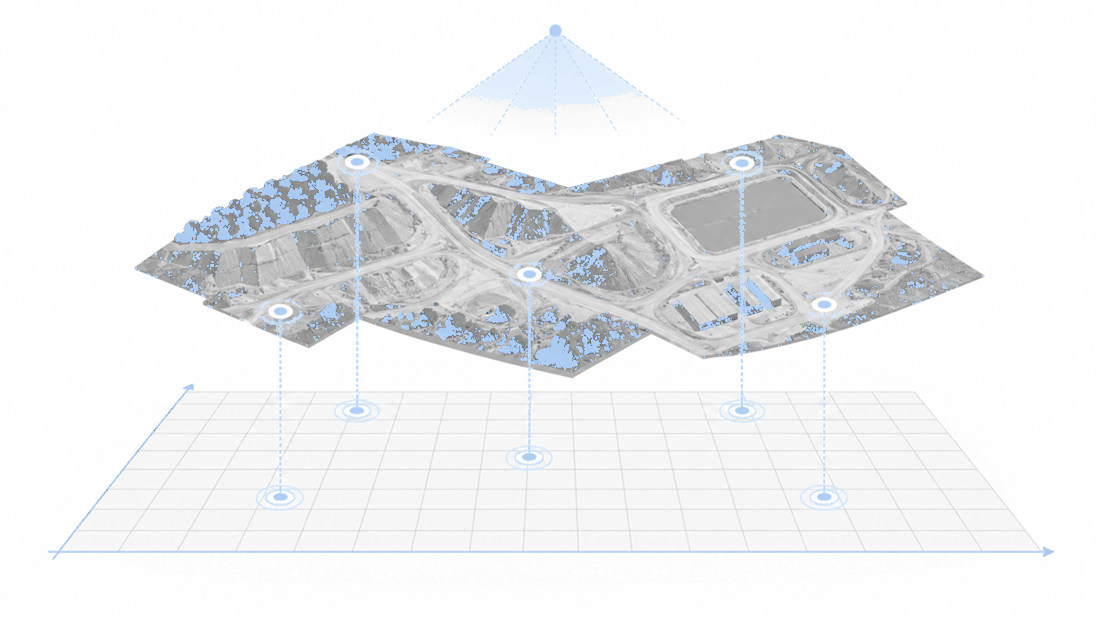
It is easy to assume that in drone surveying, simply taking photos automatically produces a result that overlaps with the drawings. But depending on the accuracy of the position data the drone records and on how that data is linked to site coordinates, the place where the result actually lands can differ.
The GCP (Ground Control Point) used for this is a reference point that links a specific point in a photo to coordinates surveyed at the actual site. You install a marker that is easy to identify at the site and survey its coordinates, then designate the same point across several drone photos so that the analysis data is held to the correct real-world position, orientation, and height. If you are curious about the difference between RTK/PPK and GCPs, you can first check our earlier post, Drone Survey Precision: Is an RTK Drone Alone Enough?
You may come across the explanation that using an RTK or PPK drone makes surveying possible without GCPs. That holds true when the capture positions are precisely corrected and the accuracy required for the purpose of the work is met. With drone capture that uses only standard GNSS position data, errors can occur in both the horizontal position X and Y and the height Z. Conversely, the absence of GCPs does not mean all drone data is unusable. What matters is not only the type of equipment but the position-correction method and the intended use of the data. This post addresses the misconceptions surrounding GCPs and organizes correction and verification methods suited to your purpose from the perspective of X, Y, and Z.
If there is no reference such as a GCP to align drone data to real coordinates, and the position data of the captured images is not precise enough, the X/Y horizontal position and the Z height can both be off at once. Even if the shape of the 3D model built from the photos looks natural, on real coordinates the entire model may be shifted sideways, rotated, or placed at a different height.
Photogrammetry finds the same feature points across multiple photos to build a 3D shape. This process alone can reconstruct distances between structures or the shape of the site fairly naturally. But "the shape looks natural" and "it is placed at the correct position in the national or site coordinate system" are two different matters.
| Category | Question It Answers | What to Check When There Are No GCPs |
|---|---|---|
| Relative accuracy | Are the distance and shape between two points consistent within the model? | Even if the shape looks natural, it may differ from the real position |
| Absolute accuracy | Is the model placed correctly on real-world X, Y, and Z coordinates? | The entire model can shift or rotate by as much as the standard GNSS error |
Pix4D also distinguishes between relative and absolute accuracy in drone mapping, explaining that GCPs or RTK/PPK image geolocation are the means of improving absolute accuracy. In other words, you should not conclude that the real coordinates are correct simply because the result on screen looks plausible.
Drone photos record the latitude, longitude, and height at which the camera took the shot. Because standard GNSS position error does not occur on only one axis, a result built on that data can shift in X and Y, the east-west and north-south directions, as well as in Z, the height.
In the process of aligning coordinates, the following elements are determined together.

Height in particular can have a different reference altogether, such as ellipsoidal height versus orthometric height, so a difference in Z values is often the first thing to stand out. But if the horizontal coordinate system or the origin differs, X and Y will be off as well. This is why it matters to make the image coordinate system, the output coordinate system, and the GCP coordinate system consistent. Pix4D's coordinate system verification guide likewise presents consistency across these three coordinate references as a key condition.
GCPs are not strictly required for every flight. The level of correction and verification should be set according to whether you are only checking current conditions with an orthophoto, overlaying drawings or past data, or using coordinates and quantities as a basis for work decisions.
| Capture and Use Conditions | Recommended Decision | Reason |
|---|---|---|
| Standard GNSS drone + work requiring real coordinates | Correct the position with GCPs | With image geolocation alone, the absolute X, Y, and Z position can differ |
| RTK/PPK drone + checking current conditions | Direct georeferencing can be used; check the log status | The camera position at the time of capture is precisely corrected |
| RTK/PPK drone + drawing overlay, earthwork volume, repeated comparison | Review alongside independent verification points | Whether the result is correct must be confirmed with separate coordinates |
| Photos without position data | Do not use as a coordinate result without GCPs | There is no real-world reference for position, orientation, or scale |
Rather than equipment that simply does away with GCPs, RTK and PPK are a way of raising the quality of camera position data. If the project's required accuracy and the correction status at the time of capture are sufficient, direct georeferencing without GCPs is also possible. However, if the result must be verified independently, it is better to set aside checkpoints that are not used in the correction calculation.
GCPs and checkpoints differ in role rather than in appearance.
Agisoft likewise distinguishes, in control and check points for aerial surveys, that GCPs are used for positional alignment and checkpoints for accuracy assessment.
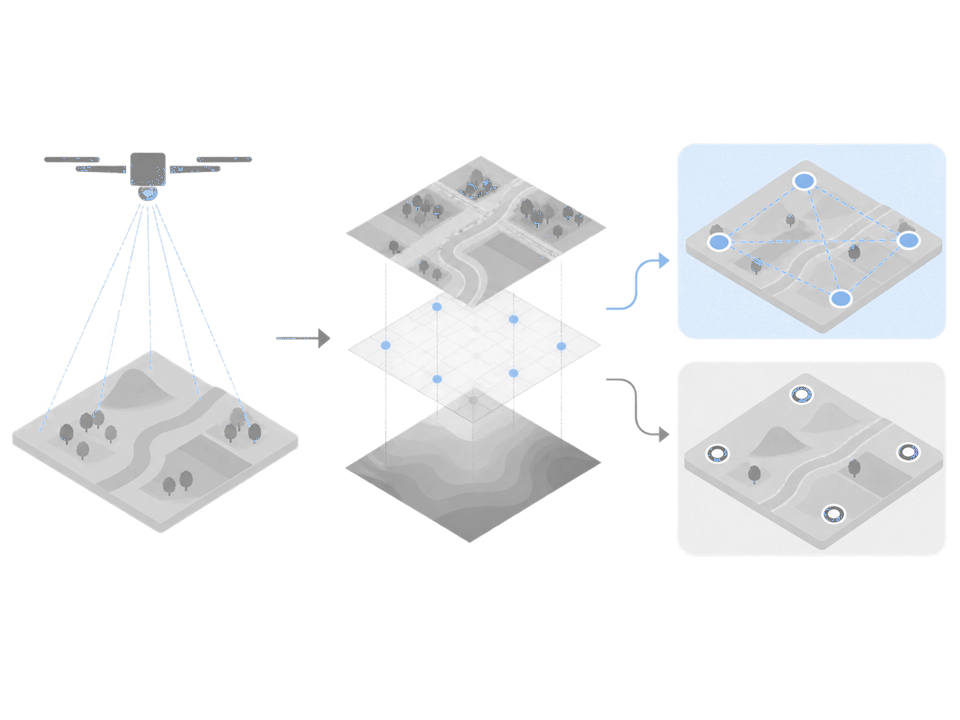
GCPs do not fulfill their role just by being installed. If any one of the coordinate system, layout, photo marking, or surveyed values is wrong, the result can instead be distorted.
Check the following four points before analysis.
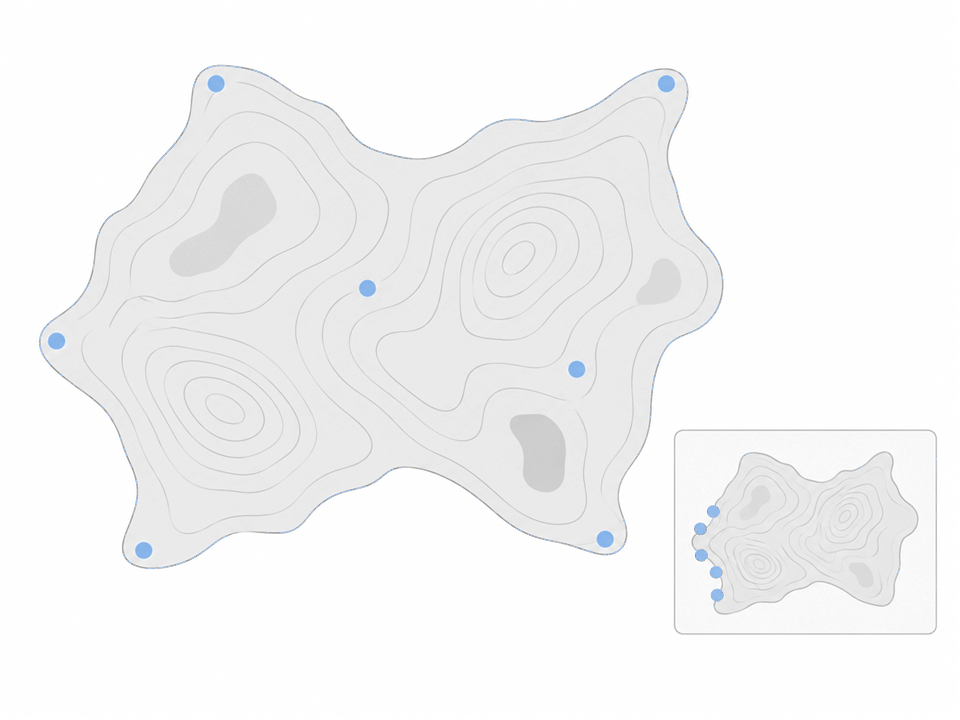
Rather than "we put in GCPs, so it is accurate," you need to go as far as asking whether the result was checked against checkpoints separate from the control points used. Pix4D explains that GCP and checkpoint errors should be calculated and compared by X, Y, and Z direction.
Meissa does not uniformly promise specific accuracy figures that are not in the published official documentation. We verify results on the premise of the GCP installation status and the quality of the captured data, and we recommend setting the accuracy standard your site requires together with your surveying lead.
On the Meissa Platform, the process of linking site control points to drone photos is carried out in GCP Marking. You designate the GCP positions visible in the photos to link them to the surveyed X, Y, and Z coordinates, and on that basis the orthophoto and 3D data are aligned to the site coordinates.
The current working criteria are as follows.
GCP Marking Workflow
Link a single control point consistently across multiple photos, then compare it against the surveyed coordinates.
01
Select the control point
Find the center of the marker in the photo.
02
Mark it in multiple photos
Link the same point repeatedly.
03
Link the surveyed coordinates
Compare the point name and the X, Y, and Z values.
Comparing the marked points against the surveyed coordinates step by step lets you link positions in the photos to site coordinates on a consistent basis.
The figures above are the working conditions for starting analysis on the Meissa Platform; they do not represent an optimal number of points that applies to every site. Depending on site area and shape, elevation differences, capture method, and the intended use of the output, the layout must be designed separately with your surveying lead.
It depends on the intended use. It can be used for visually checking the relative shape of the site and the progress of work. However, if you need to overlay it on drawings in real coordinates or compare positions and quantities, separate correction and verification are required to confirm that the absolute X, Y, and Z positions are correct.
If the RTK correction status and the project's required level are sufficient, you can use direct georeferencing without GCPs. But for work where the result must be confirmed independently, it is better to set aside checkpoints that are not used in the calculation. Rather than "is there RTK," you should check "what was the correction status, and what was the result verified against."
It varies with site conditions, equipment, and coordinate system, so it cannot be stated categorically. The important point is that the error is not limited to Z. Errors in standard GNSS position data and differences in coordinate systems can affect X, Y, and Z alike.
There is no single number that applies to every site. The layout changes with the capture area and shape, elevation differences, and required accuracy. The conditions for starting analysis on the Meissa Platform and the optimal number for site survey design should be judged separately.
If you have data analyzed without GCPs, rather than discarding the result outright, start by checking the position-correction method of the capture equipment, the coordinate system, the X, Y, and Z references, and whether verification points exist. Checking these four things will tell you whether the data is usable for simply checking current conditions or needs to be corrected again.
Decisions about GCPs and RTK do not end with obtaining accurate positions. To use drone data as a basis for earthwork volume, progress payments, and settlement, you need to manage everything as one flow: from checking capture conditions to coordinate correction, before-and-after data comparison, and organizing the results.

